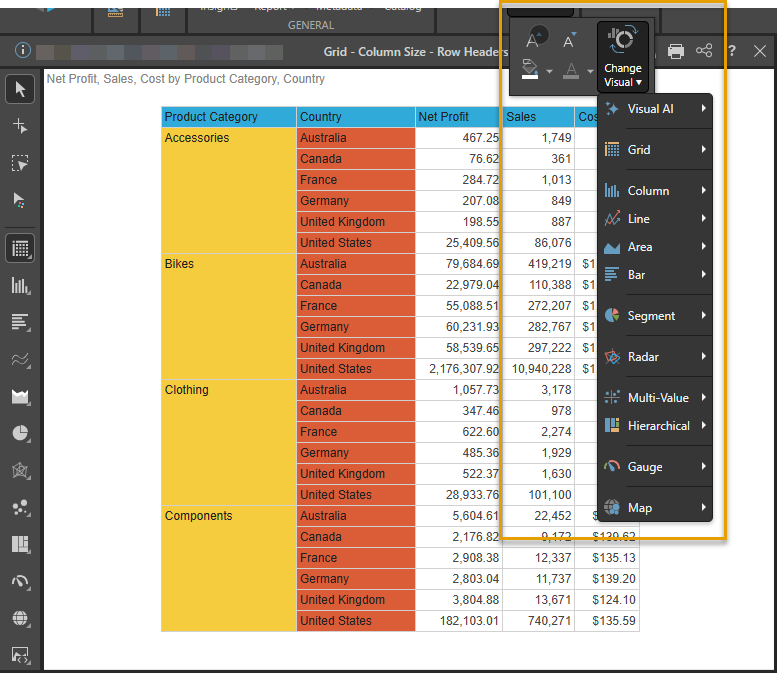
To open a submenu within a dropdown menu, use a "long tap." A long tap is where you tap the parent menu option and hold to open a submenu.
Example: Changing a Visual
For example, to change the visual type for the discovery from the ribbon:
- Tap Change Visual.
- Long tap the category whose submenu you want to open:
- If you want to select a specific visual type, select the visual category (such as Grid or Column) that your visual type belongs to.
- If you want to use AI to chose a relevant visual type, select Visual AI.
- Select the required visual type itself (such as Matrix Grid or Stacked Column Chart) from the submenu.
The Change Visual submenu opens.